

If you have a website, blog, online store, or business, you have most likely heard the name “SEO”, but what is SEO exactly, and why is it so important for your website?
SEO is an acronym for Search Engine Optimisation. SEO is the process of optimising or improving a website and its content so it becomes easier for search engines to understand and for users to find what they are looking for, need, or information relating to your website.
For example, let’s say that someone is searching for “best digital marketing agency in Patna” on Google. Google needs to determine what web pages should appear for the request. SEO helps search engines in understanding what your web pages are about and allows them to appear in relevant searches.
SEO does not consist of using the same exact keyword hundreds of times on a web page, since Google penalizes websites for doing so (keyword stuffing). SEO is about making sure your content is useful, your site structure makes sense, you’re using relevant topics and keywords, technical elements are set up correctly, and your website provides a good user experience.
In this ultimate SEO for beginners guide, you will learn everything there is to know about.
Search Engine Optimisation, how search engines work, SEO types, keyword research, on-page SEO, technical SEO, link building, common mistakes, and how to create an SEO strategy for your website.
What Is SEO?
Search engine optimisation is the work done to get a website found, indexed, crawled, sorted, and ranked higher by search engines.
When a customer types a certain word or phrase in the Google search engine, the Google algorithm looks at many factors that decide what search results are going to appear on the screen.
Therefore, by doing search optimisation, you will be able to get your website in front of customers who are searching exactly for your business.
For example, you have a website offering website development services. Instead of buying ads, you can create content-optimised pages targeting different intents and helping potential clients find you at various stages of their decision-making process. The topics could include
- Website development services
- WordPress website development
- E-commerce website development
- Website cost in India
- How to create a business website
- WordPress vs. custom website
You see, search optimisation is not about keyword volume or targeting only the first SERP results. It is a complex strategy that requires optimisation of your website so that it remains easily readable and understandable by search engine robots.

Why Is SEO Important for a Website?
A website can appear to be of high quality but get virtually no traffic if people cannot find it.
SEO can help with that; it makes your site stand out among the competition.
Some advantages of SEO include:
1. More Organic Traffic
The traffic acquired from unpaid search results is referred to as the organic traffic. If you have your page included in the unpaid search results in accordance with particular queries, it means that you have people looking for terms relating to your business’s services who land on your page for free.
For example, having a page that appears upon searching “SEO for beginners” may have people searching for SEO-related topics landing on your page.
2. Better Visibility
The search results are frequently considered the first places where people get to know businesses and websites.
Thus, it is apparent that consistently appearing in search results expedites the process of getting one’s brand recognised.
3. More Relevant Visitors
One cannot deny the fact that excellent on-page SEO helps satisfy search intent, thus attracting more targeted visitors to one’s website than ever before.
4. Long-Term Traffic Potential
Unlike paid advertising, which delivers traffic during the period of its activity, search optimisation requires time for optimisation. The good news is that a properly optimised page continues to attract traffic even after it has been created.
5. Improved Website Structure
Many SEO techniques improve the page’s structure and make it more user-friendly. This includes using subheadings, anchor text, categories, and fast loading of web pages. All of the above will help in improving the quality and usability of the site.
How Do Search Engines Work?
Before you begin studying optimisation techniques, it is necessary to become familiar with some basics related to the search process that one should know.
Search engines operate by first identifying web pages and interpreting their contents and then deciding which sites should be found for particular queries.
These procedures can be separated into three fundamental steps:
Crawling
Search engines use algorithms (such as Googlebot for Google) to find URLs and then follow them to find more URLs to visit.
Indexing
With the links found, the search engine can now go to them and analyze their contents.
Not everything that a search engine finds and crawls will be indexed and show up in search results, however.
Ranking and Serving Results
When a user is performing a search, search systems decide what is most useful and relevant for them.
This is why just publishing your page does not guarantee that it will be found on the first pages of Google.
Your job with SEO is to make your content understandable, accessible, and relevant.

The Main Types of SEO
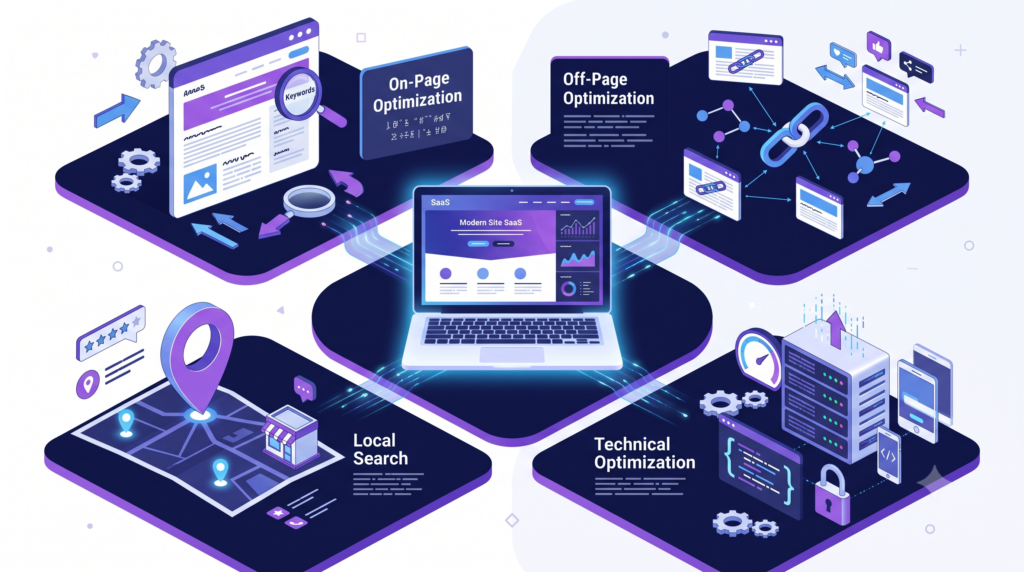
SEO can be broadly divided into several areas. The three most popular areas of SEO are on-page, technical, and off-page SEO.
1. On-page SEO
On-page SEO refers to SEO elements and practices that are applied on the website or web page.
Some of the most important aspects of on-page SEO are
- Page titles
- Headings
- Content
- Keywords
- Search intent
- Meta Descriptions
- Internal Links
- Images and alt texts
- URLs
- Content structure
For instance, for a page topic “SEO for beginners”, you should not stuff your page with the exact phrase “SEO for beginners”.
Instead, you should provide informative content to your readers about what SEO is for beginners.
In addition, you need to structure your content in a way that answers the specific questions your audience is looking for.
2. Technical SEO
Technical SEO refers to the elements that help search engines find and read your web content easily.
Some of these elements are
- Website crawling
- Indexing
- XML sitemaps
- Robots.txt
- Canonical URLs
- Mobile usability
- Website speed
- HTTPS
- Redirects
- Structured data
- JavaScript rendering
- Core Web Vitals
While it might seem that to do technical SEO one has to know how to code, the reality is that many aspects of technical SEO can be handled by a content management system or SEO plugins.
If one works with a complex system, a professional developer may be needed.
Google has a set of guidelines that include technical requirements, guidelines about how search results work, structured data guidelines, and more.
3. Off-Page SEO
Off-page SEO denotes all activities outside the website that affect what happens on it, its discoverability, and referencing.
In particular, the concept of backlinks is involved here.
A backlink means a link from one site that refers to another site.
However, one should not artificially thicken the number of such links because search engines like Google can penalise sites that use such spam methods.
The optimisation of backlinks is done by providing the necessary information, statistics, research, papers, mutually beneficial cooperation, digital PR activities, and other activities.
What Is Keyword Research?
Keyword research is the process of identifying words and phrases that people search for on search engines.
It is one of the most critical aspects of SEO since it helps you understand what your audience wants to look for.
For instance, a beginning digital marketing student may search for
:
- What is SEO?
- SEO for beginners
- How does SEO work?
- How to do keyword research
- Best SEO tools
- On-page SEO checklist
A business owner may search for:
- SEO agency near me
- SEO Services for Small Businesses
- Local SEO services
- E-commerce SEO services
The searches are different in terms of intent.
Search Intent Definition
Search intent refers to the purpose behind a search query.
Some examples of search intent categories are informational intent, navigational intent, commercial intent, and transactional intent.
Informational intent searches are queries made to acquire information.
An example of an informational search is
“What is SEO?”
Navigational searches are queries made to look for a certain web page.
An example of a navigational search is
“Google Search Console.”
Commercial searches are those made by users looking for products, services, or solutions.
An example is “best SEO tools for small businesses”.
Transactional searches are those made with the intention of purchasing something.
An example is “buy search optimisation software”.
How to Choose the Right Keywords
Do not go for keywords solely based on their search volume.
A keyword with a search volume of 10,000 per month may not be helpful in driving traffic to your business.
For instance, if you offer local website development services, going after the keyword “website” may not be as effective as going after a more specific search such as “WordPress website developer in Patna.”
In choosing keywords, you need to consider the following:
- Search intent
- Relevance
- Search volume
- Competition
- Commercial value
- Website authority
- And content type
Long-tail keywords can also be useful, as they are normally more specific.
Instead of going for “search optimisation”, you can consider going for phrases such as “SEO for small business websites” or “SEO for beginners in India”.

On-Page SEO Best Practices
After choosing a target topic and relevant keywords, it is time to optimise the page.
First, you need to come up with an SEO title that will encourage users to visit the page.
The title should be able to summarize the content of the page.
Example:
SEO for Beginners: Ultimate Guide to Search Engine Optimization
Do not use titles with too many keywords because Google has the ability to make anchor texts from anywhere on the page.
Now, come up with a compelling SEO title that will represent the content of the page and encourage users to visit. Do not use titles with too many keywords because Google has the ability to make anchor texts from anywhere on the page.
Use Proper Headings
Use one prominent H1 heading for the primary topic and the subheadings (H2) for the supporting points and H3 for the primary topics.
For example,
H1: SEO for Beginners: Complete Guide
H2: What Is SEO?
H2: Why Is SEO Important?
H2: Types of SEO
H3: On-Page SEO
H3: Technical SEO
H3: Off-Page SEO
It is a recommended practice for organizing a large volume of information into a format that is easy to follow.
Write Useful Content
Avoid writing an article solely for the sake of targeting a specific keyword.
Create content that provides value to the reader rather than an article that serves no real-world application.
A beginner’s guide to search optimization should leave the reader with an elementary understanding of SEO and a call-to-action for their next steps in learning search optimization.
For example, Google’s current approach is focusing on rewarding useful and informative content as opposed to content created for search engine optimization purposes.
Optimize Meta Descriptions
A meta description is a brief summary of a web page’s content that can appear beneath the title in search results.
It should concisely summarize the information found on the page so that users know what to expect.
For this article, you might want
“Learn SEO for beginners with this comprehensive guide to Search Engine Optimization, including keyword research, on-page, technical, and off-page SEO.”
Remember that Google can choose which snippet to show for a particular query, so it is best to make a few optional variations.
Use Internal Links
Internal links are used to connect one page on a website to another.
A good example would be linking an article about search optimization to related posts and pages about
- keyword research
- Google Analytics,
- content marketing
- website development
- Google Search Console.
Doing so will help both users and search engines discover associated content better while improving the context and connection between them.

Technical SEO Basics for Beginners
You do not need to learn everything about technology before you start to do SEO.
Learn all the basics and get started right away.
Submit an XML sitemap.
The XML sitemap will allow you to submit important URLs for Google’s crawlers’ attention. You should be able to submit your sitemap in Google Search Console.
Check Indexing
Checking indexing and using Google Search Console to understand what problems Google has encountered while crawling your site.
Make Your Website Mobile-Friendly
Most users surf the web using their smartphones. This means that your website needs to look good on a small screen and be easy to use and read. You should check the following on
your website:
- Fonts
- Buttons
- Menus
- Pictures
- Forms
- How the page is put together
- Horizontal scrolling
Improve Page Speed
Having slow-loading pages may frustrate users, so it’s best to optimize large images, remove any unnecessary scripts, leverage browser cache, and make sure your site is technically sound.
HTTPS
Make sure your site has an HTTPS prefix so that your site’s information is secured by encryption.
Implementing Structured Data Markup
When implementing structured data markup, you’re providing additional information about your content to Google so they can better represent your page in search results.
Structured data markup can be used for a number of different content types, and Google even supports rich snippets for some features. For example, article-structured data markup helps Google identify information such as the title, image, date, and author.

Off-Page SEO and Link Building
Backlinks are one of those important elements that fuel the visibility of any given website on the larger ecosystem that is the internet, but their quality is what matters most.
There are several legitimate ways to attract backlinks from other sites, including:
- Research publication
- Generation of useful statistics
- Expert resources
- Digital PR
- Industry partnership building
- Guest posting, where appropriate
- Tools and resource development
- Content promotion
Don’t buy spammy links and participate in other shady practices. Google has specifically mentioned spammy link schemes and other manipulative techniques as against its spam policies.
Local SEO
If you own a local business, then local SEO will work towards making your business visible among those people who are searching for products or services of your business in a particular geographic location.
Examples:
- Digital marketing agency in Patna
- Web Developer in Delhi
- Best Salon Near Me
- Dentist in Mumbai
- Important local search optimization activities include:
- Setting up and optimizing your Google My Business profile
- Maintaining your business data up-to-date
- Valuable information related to your business
- Collecting authentic reviews
- Creating useful local content
- Getting relevant local citations
- Optimizing pages related to services & location
Local SEO is very crucial for businesses having customers in a particular geographic location.
SEO Tools Beginners Can Use
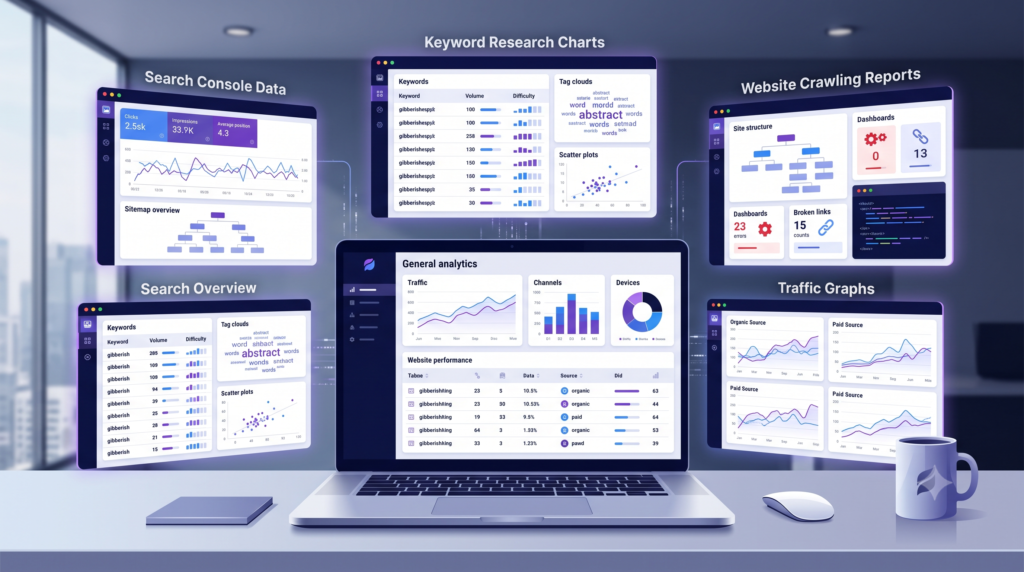
Search optimization is made easier through the application of specific tools that help in collecting the data necessary to identify issues.
Some of the tools include
Google Search Console
This is very essential since it tracks the search capabilities of the site, indexes, research, and issues affecting the search functionality.
Google Analytics
This tool is excellent in analyzing the data collected from a website. Through this tool, one can track and monitor the traffic acquired, the kind of traffic, conversion, where the traffic comes from, landing pages, and much more.
Google Keyword Planner
The tool helps with keyword research and analyzing search demand volume and is suitable for working with Google Ads.
Screaming Frog
The tool scans the website, highlighting problems with titles, headings, links, redirects, statuses, and other elements.
Ahrefs and Semrush
Both are known optimization tools that offer a solution for keyword research, analyzing competitors, backlinks, content, and websites in general.
However, it should be noted that you do not have to use all the tools described above. It is enough to start with Google Search Console and Google Analytics to get started with search optimization. Later, as skills and confidence grow, one can move on to more advanced tools.
Common SEO Mistakes Beginners Should Avoid
Many beginners make search optimization challenging for themselves by committing such mistakes as
Keyword stuffing
Only targeting high-volume keywords
The first error is stuffing the text with keywords repeatedly to the point when it becomes uncomfortable to read. Google even forbids keyword stuffing, so a beginner should be especially careful to avoid it.
Instead, one should use keywords in the text regularly and rely on proper formatting to make the information easy to parse and understandable.
The second mistake consists in trying to target only high-volume keywords. Rather, it is necessary to analyze the relevance of keywords and what intentions they carry.
Publishing Thin Content
A brief page with a small amount of information may not effectively answer the user’s query.
Do not artificially inflate the word count to make an article longer.
Add new information that will genuinely be useful to the reader.
Neglecting Technical Issues
High-quality content will not be useful if search engines cannot correctly index important pages.
Check the site’s indexing, broken links, redirects, mobile usability, and other technical search optimization factors on a regular basis.
Copying Competitors
While it may be helpful to research what other sites do to rank well on search results, simply copying what they do will yield little benefit.
Develop your own examples, explanations, data, opinions, and experiences.
Instant Results
Search optimization is a long-term game.
Depending on your site’s authority, competitiveness of keywords, quality and quantity of content, technical search optimization, industry, and many other factors.
It can take months or even years to see significant results. Do not check your progress every hour or day—look at trends and progress over a larger scale.
How to Create a Search Strategy for Your Website
For the novices, the following process will prove to be quite helpful.
Step 1: Identifying Your Target Audience
The first thing that you have to do is identify your prospective customers and what problem you can resolve for them.
Step 2: Keyword Research
In order to get started, you will have to conduct thorough keyword research and arrange them according to intent and topics.
Step 3: Website Audit
This step involves the assessment of your website in terms of its state and content.
Step 4: Posting High-Quality Content
Post high-quality informative articles.
Step 5: Optimizing Your Pages
To increase your ranking, you will have to optimize your titles, headings, URLs, content, images, internal linking, and numerous other things.
Step 6: Technical Audit
As it is crucial for crawlability and indexability, it is essential that you address all technical issues to ensure that search engines are able to read your pages.
What is more, you need to make sure that your website is optimized for mobiles.
Step 7: Building Authority
In order to build authority for your content and pages, you should attract quality backlinks.
Step 8: Monitoring and Metrics
It is necessary that you use Google Search Console and Google Analytics (or similar services) to track metrics such as impressions, clicks, traffic, engagements, and conversions.
Step 9: Updating Content
As search intent, information, and content of your competitors are constantly evolving, it is important to update your content accordingly.
Search Optimization Checklist for Beginners
Before launching your page to the public domain, ensure you run a sanity check on your page in light of the following list:
- Choose a primary topic
- Identify user intent
- Identify keywords
- Craft a search optimization title.
- Choose an appropriate URL structure
- Use the H1 tag
- Use H2 and H3 tags
- Craft quality content
- Incorporate keywords
- Incorporate internal links
- Optimize images
- Use alt text
- Check for mobile friendliness
- Check page speed
- Ensure crawlability and indexability of the page
- Incorporate an XML sitemap in the search optimization process.
- Fix broken links.
- Use structured data where required.
- Promote quality content
- Monitor in Google Search Console
Final Thoughts
Search optimization is not a shortcut for getting instant traffic. It is a long-term process of making your website easier to discover, understand, use, and trust.
If you are a beginner, do not try to learn everything at once. Start with the fundamentals: understand your audience, learn keyword research, create useful content, improve your website structure, learn on-page search optimization, fix basic technical issues, and use Google Search Console to understand your performance.
As your skills improve, you can move into advanced areas such as technical search optimization, content strategy, e-commerce search optimization, local search optimization, structured data, international search optimization, and search optimization analytics.
The most important rule is simple: create pages for people first, then optimize them for search engines.
Google’s current documentation continues to emphasize useful content and warns against practices designed mainly to manipulate search rankings.
If you consistently create useful pages that match what people are searching for and maintain a technically healthy website, you give your site a much stronger foundation for organic search visibility.